Drake "Burning Bridges" AI Video Generator & Scene Breakdown
Upload your photo below to step directly into the viral 2:37 ballroom scene from Drake's Burning Bridges music video. Pay once with Apple Pay or Card — zero subscription.
Burning Bridges AI Studio
1-Photo GeneratorUpload your photo
Drag & drop or tap to browse
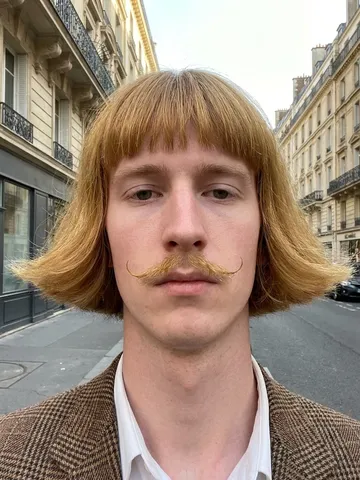
Uploaded Selfie
➔ Real AI Output
+ Optional: Add friends in the crowd (up to 5) or change venueFree add-on
Friends in the crowd
0 / 5 photosEach photo replaces one person in the crowd, in upload order.
Scene Background
Leave empty for the chandelier party room, or upload a venue photo.
The 2:37 Timestamp That Changed AI Video
Released on May 15, 2026, Drake's music video for “Burning Bridges” was celebrated for its moody visual storytelling. Yet the exact sequence that took over short-form social media begins at timestamp 2:37: the edit cuts abruptly into a packed dark ballroom illuminated by warm, tiered crystal chandeliers.
Moving forward in lockstep with a backward-tracking wide-angle lens, the lead host carries a brushed silver cocktail shaker, locks eyes with the camera on the 2.34-second vocal cue “Where she at?” with a crisp dismissive hand flick, adjusts his jacket collar at 9.0 seconds, and turns to toast an hyped wall of partygoers.
Scene-by-Scene Choreography & Camera Physics Breakdown
Understanding why this 29-second sequence translates into effortless comedy and swagger helps you pick the right photo, duration, and caption hook:
Beat 1 (0.0s – 2.3s): The Chandelier Strut
A close 24mm handheld lens pulls backward down the center aisle. Overhead amber chandeliers cast forgiving top-down warmth while Crowd Slots 1 and 2 bounce immediately over the lead's shoulders.
Beat 2 (2.34s – 5.5s): The “Where She At?” Flick
Right on the vocal drop, the performer snaps a quick outward wrist gesture toward the lens and raises the silver shaker—creating the #1 punchline transition moment for POV captions.
Beat 3 (5.5s – 15.0s): Collar Check & Toast
A subtle two-handed lapel adjustment at 9.0 seconds followed by a knowing smirk and drink raise. The 15-second Standard Clip (100 credits) concludes cleanly here for high TikTok loop replay rates.
Beat 4 (15.0s – 29.0s): Entourage Pass-By Finale
Exclusive to the 29-second Extended Cut (300 credits): the host brushes past the handheld camera into the deeper dancefloor, trading reactions with Crowd Slots 3, 4, and 5 in a full celebration arc.
Solo Lead vs. 2–5 Friend Group Party Framing
You can run the scene as a solo star or cast your entire group chat at zero extra credit cost. In solo mode, the original ballroom extras remain untouched while 100% of neural identity attention locks onto your lead portrait.
When you open More options in the generator above, uploading 2 to 5 separate friend portraits maps them onto specific background dancers—Slots 1 and 2 flank your right and left shoulders in tight close-ups, while Slots 3 through 5 clap and raise cups across the midground. You can even upload a custom room photo (an office cubicle, pub, dorm, or stadium) to relocate the entire party venue.
Portrait & Lighting Checklist for 98% Likeness
- Single face per upload slot: Crop or pick solo chest-up photos rather than wide group shots so facial landmarks stay sharp.
- Even frontal illumination: Soft window light or indoor room light prevents harsh nose shadows from fighting the warm chandelier grade.
- Unobstructed eyes & jawline: Remove dark sunglasses, masks, or hands resting on the chin; everyday prescription glasses with clear lenses work fine.
- Relaxed confident expression: A natural closed-lip smirk or slight smile adapts smoothly across both calm walk-in frames and upbeat toast frames.
Why Reference-to-Video Diffusion Outperforms Face-Swap Filters on This Shot
Early fan remixes of the 2:37 ballroom clip used legacy frame-by-frame face-swap bots built for static passport angles. Whenever the performer tilted his chin toward the ceiling chandelier, turned forty degrees toward Crowd Slot 1, or lifted the reflective cocktail shaker across his cheek, legacy face-swappers flickered, lost hairlines, or pasted a frozen expression over shifting lighting.
Our studio runs dedicated reference-to-video motion synthesis calibrated specifically for handheld ballroom cinematography. Instead of overwriting pixels inside a tight face mask, the model conditions full upper-body identity, hair volume, collar shadows, and warm amber specular skin highlights across every 24fps frame—preserving natural eye contact during the 2.34-second wrist flick and smooth depth-of-field bokeh across up to five custom crowd friends behind you.
15s vs. 29s Pacing, Watermark-Free Specs & One-Time Pricing
Every video exports as a clean, watermark-free 720p HD H.264 MP4 in your choice of 9:16 vertical (TikTok, Instagram Reels, YouTube Shorts) or 16:9 widescreen. Downloaded MP4s are delivered silent so you can select the official licensed “Burning Bridges” audio directly inside TikTok or Instagram for full sound-page discovery without copyright mutes.
There is zero monthly subscription and no password required—pay once with Apple Pay, Google Pay, or Card: $9.99 Starter Pack (100 credits = 1× 15s video), $19.99 Party Pack (300 credits = 1× full 29s scene or 3× 15s videos), $29.99 Creator Pack (500 credits = 1× 29s + 2× 15s or 5× 15s videos), or $49.99 Studio Pack (1,000 credits = $5.00 per 15s video). If any render fails technically, 100% of credits refund automatically in seconds.