Burning Bridges AI Video Generator
Put yourself in the viral Burning Bridges AI video. Upload one photo and the AI builds the chandelier party scene around you, silver shaker and all. No editing, no prompt. Ready to post on TikTok and Reels in about 10 minutes.
- One photo, no prompt
- Bring up to 5 friends into the crowd
- 15s or full 29-second Burning Bridges AI video, 16:9
- From $9.99, no subscription
Create Burning Bridges AI video
Instant AI+ More optionsBeta
Friends in the crowd
0 / 5 photosEach photo replaces one person in the crowd, in upload order.
Scene Background
Leave empty for the chandelier party room, or upload a venue photo.
- 1
Upload a photo
You, or a friend who said yes
- 2
AI joins the party
Same moves, camera & face
- 3
Post Burning Bridges AI video
Add Burning Bridges sound
- Credits back if fails
- Pay once, no subscription
- Ready in ~10 minutes
What is the Burning Bridges AI video generator?
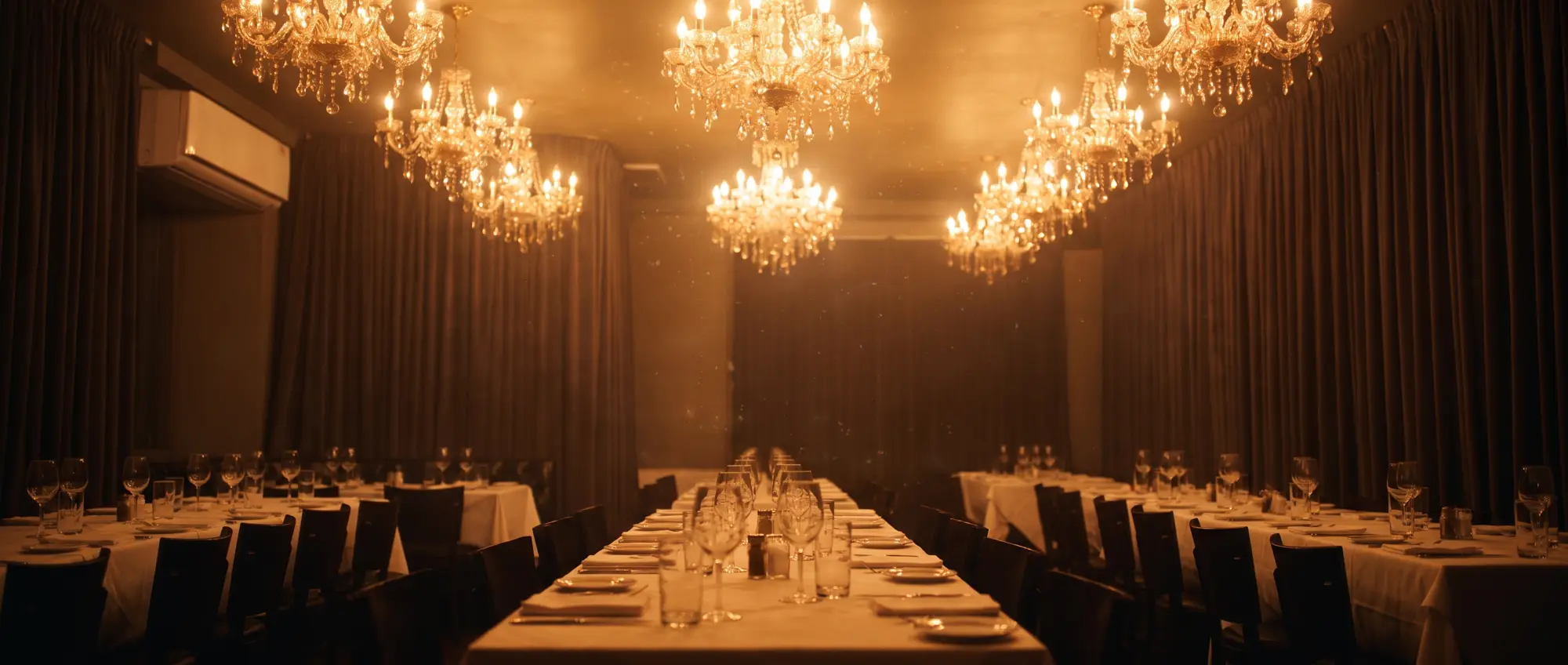
The Burning Bridges AI video generator turns one photo into your own version of the viral Burning Bridges AI video trend. The sensation originates from the famous party scene in Drake's Burning Bridges music video: a warm room filled with crystal chandeliers, a packed crowd, a silver cocktail shaker, and a handheld camera that tracks the lead through the iconic “Where she at?” moment.
On TikTok, Instagram Reels, and YouTube Shorts, sharing a custom Burning Bridges AI video is one of the fastest-growing trends. Doing it manually means finding clean source footage, writing intricate prompts in complex video tools, and retrying until movements align. Our Burning Bridges AI video engine automates the entire pipeline: you upload one photo, AI seamlessly reconstructs the party around your face, and you download a high-definition 16:9 MP4 ready to post with the official sound.
It does one thing with cinematic quality: render your personalized Burning Bridges AI video directly into the chandelier party.
Burning Bridges AI video examples
One photo is all you need for an authentic Burning Bridges AI video. Add friends to the crowd or swap the room if you want more.
How to make a Burning Bridges AI video
Three steps with the Burning Bridges AI video generator. No editing app, no reference video, no prompt.
- 1
Upload one photo
Use a clear photo for your Burning Bridges AI video: yourself, or a friend who agreed. One front-facing portrait is all it takes.
- 2
AI builds the party
Our model builds your Burning Bridges AI video scene: chandelier-lit room, lively crowd, and handheld camera choreography around your subject.
- 3
Download and post
Preview with audio, then download your 16:9 MP4 Burning Bridges AI video. Post on TikTok, Reels, or Shorts with the viral sound.
The Burning Bridges AI video, second by second
Every video follows the exact moves of the original party scene. Your face and outfit adapt; the iconic timing stays locked.
 0-2 s
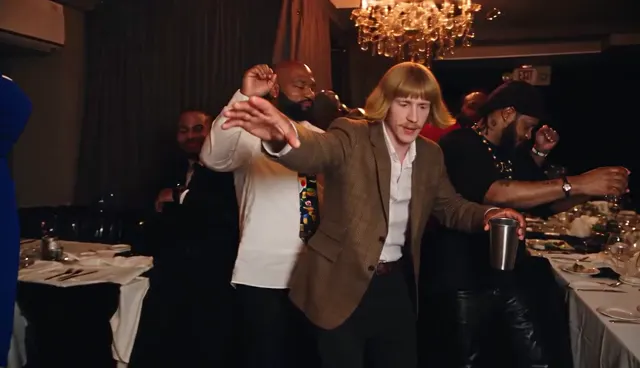
0-2 sThe walk-in
Your Burning Bridges AI video opens as you walk into the chandelier room with one arm out and a silver cup.
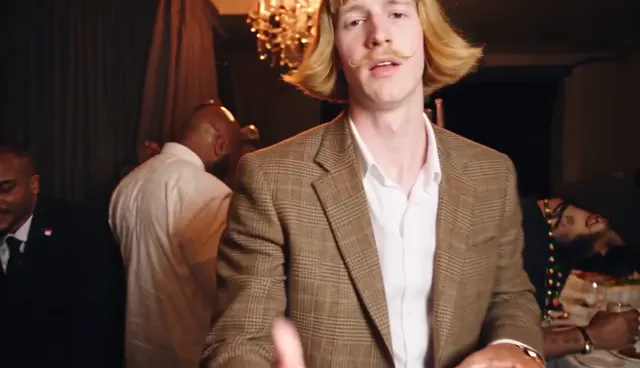 2-3.5 s
The close-up
The camera rushes in for the signature Burning Bridges AI video close-up where you flick your hand at the lens.
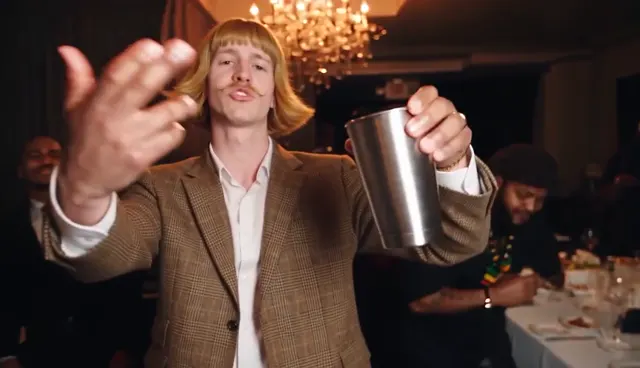 4-5.5 s
Cup to the camera
You raise the silver cup straight at the viewer, like a toast to whoever is watching.
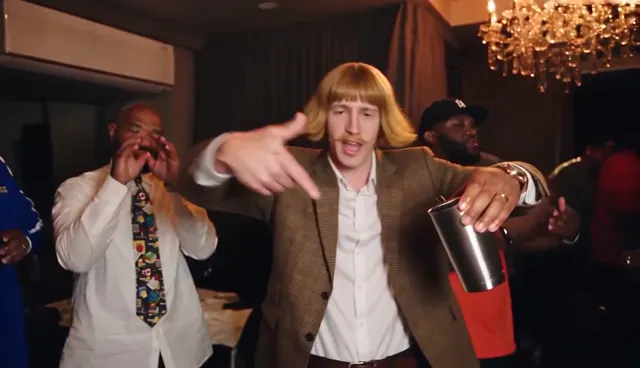 6-8.5 s
Point and bounce
A loose point-and-bounce to the beat while the crowd dances behind you.
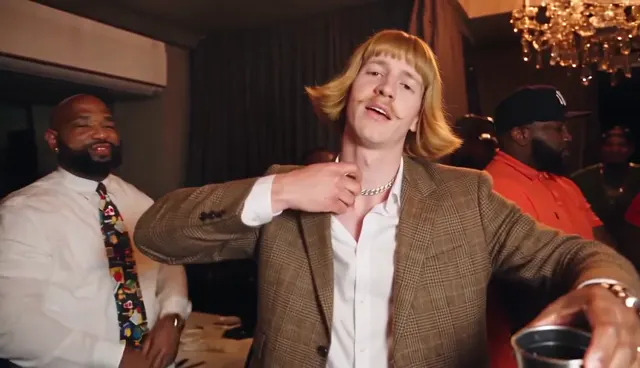 9-10 s
Hand on the collar
Hand to the chest, chin up. The smug moment that makes the trend funny with any face.
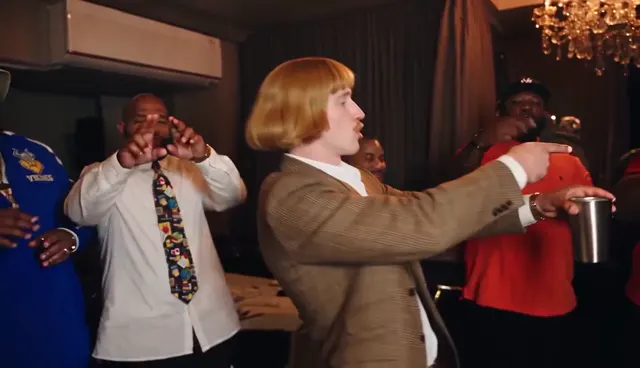 10.5-12 s
Turn to the friends
You turn and point at the people around you. If you added friend photos to the video, this is where they show up.
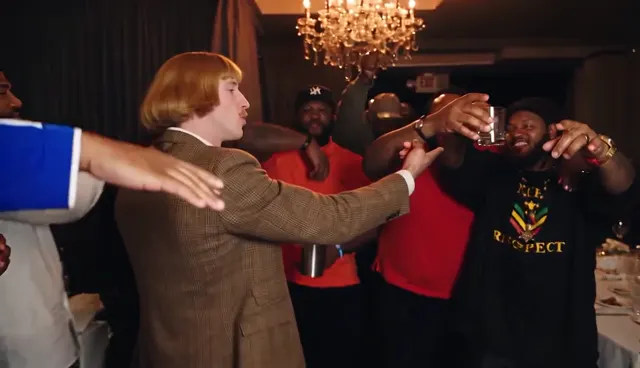 12-15 s
Everyone leans in
The crowd closes in and cups go up as your 15-second video cut finishes, while the 29-second cut keeps partying.
Which photo works best for a Burning Bridges AI video?
The AI maps your facial features directly into your Burning Bridges AI video. A sharp portrait ensures high likeness all the way through the 16:9 scene.
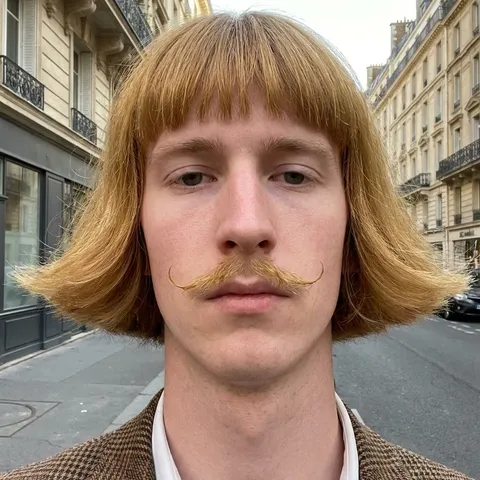
Works best for video
- • Clean Burning Bridges AI video input
- • Face sharp & in focus
- • Even light, natural look
- • Head & shoulders or waist up
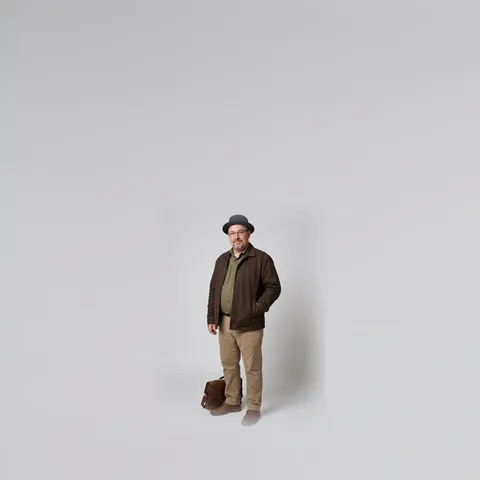
Face too small
Full body or distant shots give the model too few facial pixels to build a clear Burning Bridges AI video.
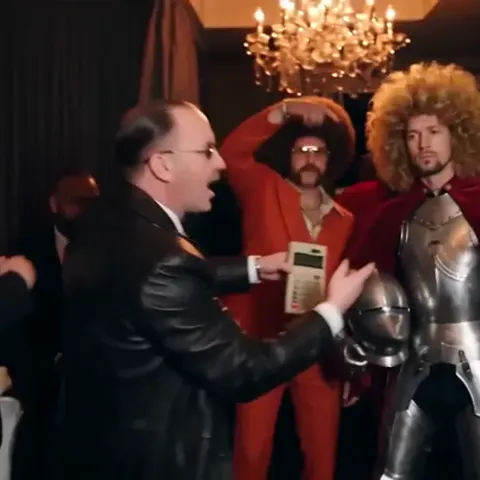
Group photo
The model cannot detect who the lead character is. Add friends into the crowd slots separately.
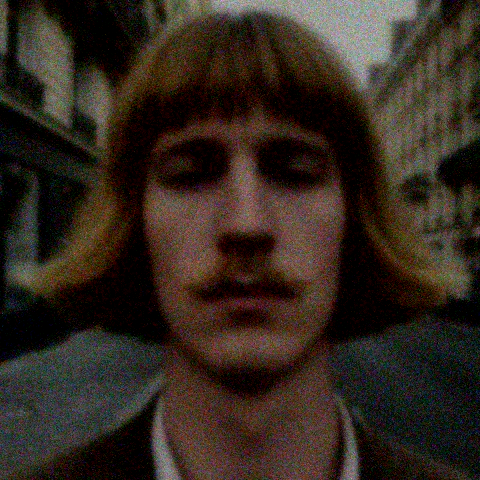
Too dark or blurry
Harsh shadows, heavy filters, and motion blur will distort the generated Burning Bridges AI video face.
Add friends or a custom venue to your Burning Bridges AI video
Under More options, customize your Burning Bridges AI video by uploading up to five friend photos. Each photo replaces one member in the crowd dancing behind you, in the exact order uploaded. Your entire group chat ends up celebrating with you!
You can also customize your Burning Bridges AI video with a custom location photo: the handheld camera track and timing remain unchanged, while the entire room takes on your chosen venue, like a 1920s speakeasy, an office, a science lab, or your favorite club.
Extra friend and venue customizations for your Burning Bridges AI video are completely free and use zero additional credits. Only upload photos of real adults who gave permission.
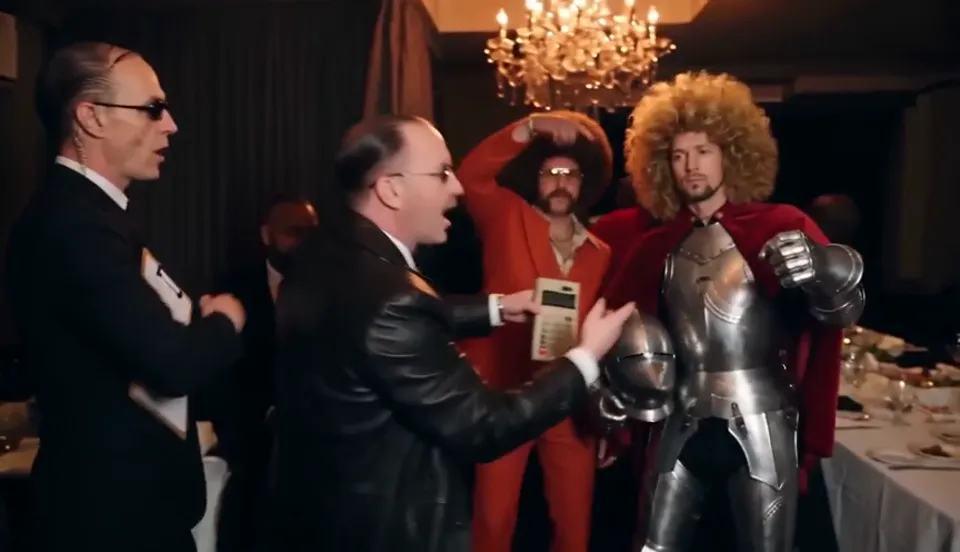
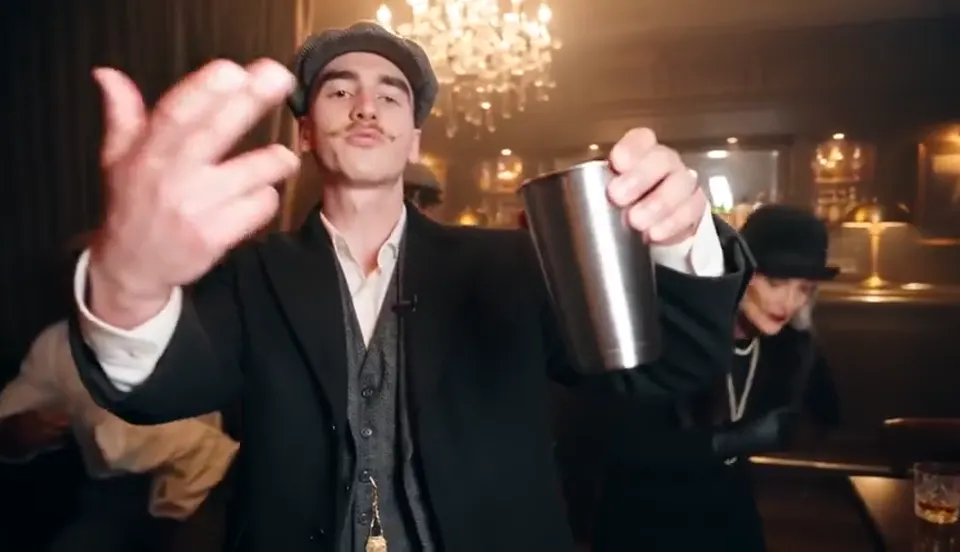
Burning Bridges AI character ideas
Every Burning Bridges AI video turns viral when the lead character humorously contrasts with a Drake VIP chandelier party. Dress up for your selfie, or try one of these concepts.
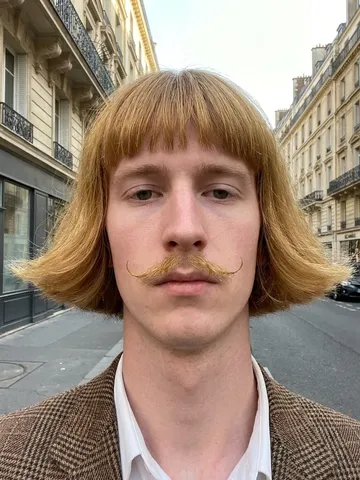
Bowl cut and blazer
The classic Burning Bridges AI video look: serious expression, awkward haircut, ultimate confidence.
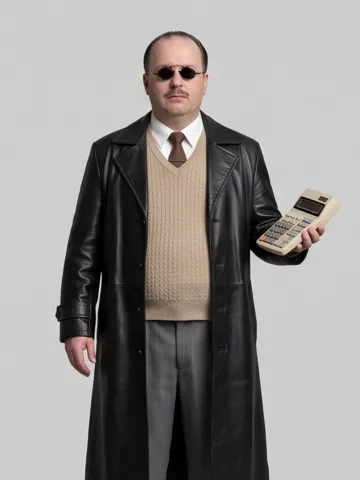
Retro office hacker
Leather coat, sweater vest, holding a calculator instead of a drink.
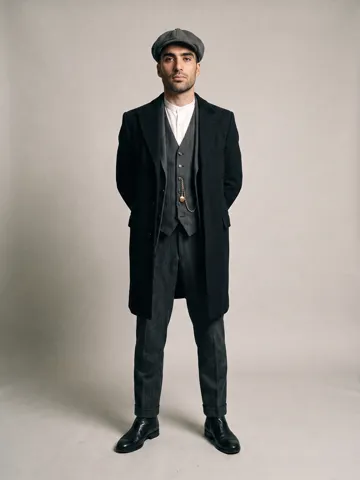
1920s gang boss
Flat cap, three-piece suit, long coat for a vintage pub Burning Bridges AI video.
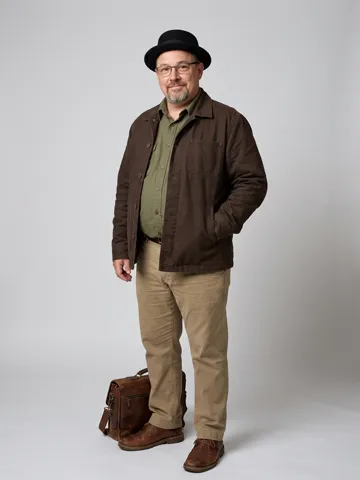
Chemistry teacher
Pork-pie hat, wire glasses, utility jacket with two lab friends.
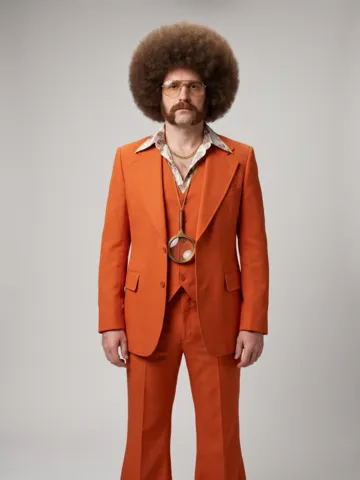
70s disco detective
Vibrant suit, retro styled hair, bold medallion accessories.
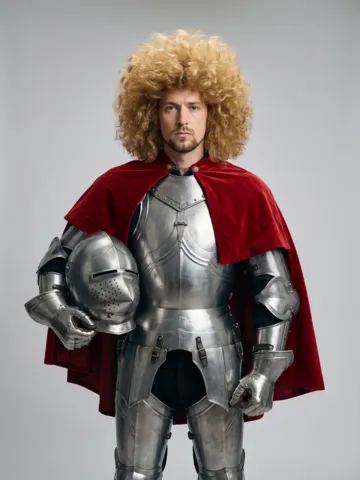
Knight off duty
Full metallic armor and a flowing cape chilling at an afterparty.
Create your own unique Burning Bridges AI video with original personas or your personal selfie. Never upload photos of celebrities or public figures without rights.
Burning Bridges AI video generator vs doing it yourself
You can try recreating a Burning Bridges AI video in general-purpose AI apps. Here is what that takes compared to uploading one photo here.
Our Burning Bridges AI video generator
- What you do
- Upload one single photo
- Prompt
- None required
- Moves and lip sync
- Choreography locked for your Burning Bridges AI video
- Source footage
- Pre-calibrated 16:9 4K motion vector
- Friends and custom venue
- Up to 5 friends + venue photo included for free
- Price model
- From $9.99 once, zero monthly subscription
Recreating a Burning Bridges AI video DIY
- What you do
- Find clean clip, slice, upload reference, write prompts, retry 10+ times
- Prompt
- Must write complex 200-word camera & motion prompts
- Moves and lip sync
- Frequent face distortion & jittering hand artifacts
- Source footage
- Many platforms ban or reject celebrity reference clips
- Friends and custom venue
- Impossible without multi-person LoRA training
- Price model
- $30+/mo recurring subscription; credits drain on bad attempts
Burning Bridges AI video generator pricing
Buy credits once to generate your Burning Bridges AI video. A 15-second video uses 100 credits and the full 29-second scene uses 300. No subscription, no recurring charge.
100 credits
$9.99
1 Burning Bridges AI video (15 seconds)
- 15-second or full 29-second 16:9 MP4
- Add up to 5 friends to the crowd
- Direct MP4 download for TikTok & Reels
- Instant automatic refund on technical failure
- Zero subscription or recurring fees
300 credits
$19.99
3 Burning Bridges AI video creations, or 1 full 29s cut
- 15-second or full 29-second 16:9 MP4
- Add up to 5 friends to the crowd
- Direct MP4 download for TikTok & Reels
- Instant automatic refund on technical failure
- High-priority generation queue
1,000 credits
$49.99
10 Burning Bridges AI video generations ($5.00 each)
- 15-second or full 29-second 16:9 MP4
- Add up to 5 friends to the crowd
- Direct MP4 download for TikTok & Reels
- Instant automatic refund on technical failure
- VIP ultra-fast rendering pipeline
Burning Bridges AI Video Tutorial, Prompts & Templates
Prefer to make your Burning Bridges AI video yourself using Kling, Runway, or CapCut? Here is the exact viral prompt formula, beat synchronization guide, and free downloadable project template.
1. Generate Your Base Scene
Use Kling AI (v1.5) or Runway Gen-3 with our prompts below. Set aspect ratio to 16:9 landscape. Select 5s or 10s clip mode with motion scale set to 5~7.
2. Align "Where she at?" Audio
The iconic hand flick in every Burning Bridges AI video occurs precisely at 2.34s where Drake says "Where she at?". Align your video cut to this vocal drop in TikTok or CapCut.
3. Download Free Template
We pre-packaged a CapCut / Premiere Pro draft with beat markers, audio waveform, and 16:9 crop guides for instant 1-click editing.
Official Burning Bridges AI Video Prompts
Optimized for Kling, Runway & HailuoMaster Party Choreography Prompt
A cinematic 16:9 handheld party video in a dimly lit luxurious banquet hall illuminated by crystal chandeliers. A charismatic person in stylish evening attire walks through an energetic crowd holding a polished silver cocktail cup. The camera pushes in dynamically as the person gestures rhythmically to the music, flicks their hand toward the lens with a cocky smile, lifts the silver cup in a toast, and bounces to the beat while party guests dance in warm golden amber light, bokeh background, ultra-realistic motion, 24fps film grain.
Dynamic Handheld Push-In & Toast
FPV handheld camera pushes forward through a crowded opulent ballroom under crystal chandeliers. The subject in foreground holds a silver shaker cup, turns to face camera, smirks, makes a sharp flick gesture with hand, raises cup toast toward viewer. Warm amber lighting, dark moody club aesthetic, cinematic motion blur.
High-Likeness Character Reference Stills
A sharp frontal portrait photo of [Character/Self], wearing an oversized tweed blazer and crisp collar, medium close-up, neutral studio lighting, 8k resolution, raw photo style, facing camera directly, neutral expression for face-swap reference --ar 1:1 --style raw
CapCut & Premiere Pro Template Pack
Includes pre-cut 15s & 29s video placeholders, locked aspect ratio canvas, color correction LUT, and beat-matched audio track.
Where the viral Burning Bridges AI video trend comes from
The worldwide sensation that inspired every Burning Bridges AI video began when Drake released the Burning Bridges music video on May 15, 2026. About two and a half minutes in, the video transitions into a dark, luxurious party room lit by crystal chandeliers: Drake strides through a packed crowd holding a silver cup, interacts playfully with the handheld camera, and the room reacts enthusiastically around him.
In late September 2026, creators began producing their own custom Burning Bridges AI video clips by swapping Drake in that specific scene with themselves, friends, pets, and absurd comedy personas. The resulting edits went viral across TikTok, Instagram Reels, and YouTube under #BurningBridgesAI.
Our site streamlines making a high-quality Burning Bridges AI video down to one photo. Our example clips showcase strictly original AI characters and consenting adults—never copyrighted likenesses.
May 15, 2026
Drake releases the official Burning Bridges music video
~2:37 to 3:06
The chandelier party scene that sparked the global trend
Late Sept 2026
Burning Bridges AI video edits explode across TikTok & Instagram Reels
Frequently asked questions
Everything you need to know before making your viral video
Make your Burning Bridges AI video now
One photo, about 10 minutes, and your custom Burning Bridges AI video is ready to download and share.
Create my Burning Bridges AI video