Burning Bridges AI Video Template & Instant Generator
Generate your face-swapped Burning Bridges video automatically below in 1 click ($9.99 · No password needed), or download the manual CapCut project pack.
Burning Bridges AI Studio
1-Photo GeneratorUpload your photo
Drag & drop or tap to browse
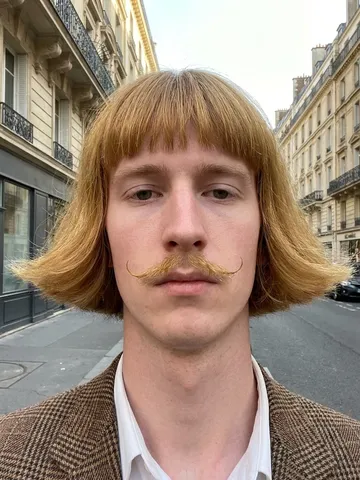
Uploaded Selfie
➔ Real AI Output
+ Optional: Add friends in the crowd (up to 5) or change venueFree add-on
Friends in the crowd
0 / 5 photosEach photo replaces one person in the crowd, in upload order.
Scene Background
Leave empty for the chandelier party room, or upload a venue photo.
Manual CapCut & Premiere Template Pack (.ZIP)
Download Manual .ZIP PackCapCut Draft (.ccproj)
Pre-configured CapCut project file with locked 16:9 ratio, keyframe zoom transitions, and audio sync markers.
Beat-Matched Audio Stems
High-fidelity audio markers matching the exact 2.34s “Where she at?” vocal drop and 9.0s collar adjustment.
LUT Color Presets
Warm amber club grading LUT (.cube) matching the moody chandelier room lighting from the original music video.
Why 1-Click AI Motion Synthesis Beats Manual CapCut & Premiere Keyframing
Traditional CapCut templates and Premiere Pro `.prproj` overlays rely on 2D planar tracking: you mask a static head cutout and pin it frame-by-frame onto the dancer. Because the camera in Drake's 2:37 ballroom scene swings on a handheld wide-angle lens while the lead performer turns his head, raises a reflective silver shaker across his jawline, and passes beneath warm crystal chandeliers, flat keyframing immediately looks like a pasted sticker.
Our reference-to-video AI template uses neural motion synthesis instead of 2D cutouts. From a single portrait, the model builds a full 3D facial likeness that rotates naturally with every shoulder swagger, matches 24fps motion blur, inherits warm amber ceiling highlights, and handles hand-and-cup foreground occlusion automatically—with zero timeline editing required.
| Workflow Aspect | 1-Click AI Video Template | Manual CapCut / Premiere Pack |
|---|---|---|
| Time to Finished Video | 30 seconds upload + ~3 min cloud GPU render | 45–90 minutes of masking, rotoscoping & keyframe cleanup |
| Head Turn & Expression Realism | True 3D head rotation, micro-expressions & lip smirk | Flat 2D static face cutout that warps on side angles |
| Chandelier Relighting & Grain | Automatic warm amber skin relighting & film grain match | Manual color curves & LUT tweaking per portrait |
| Multi-Friend Crowd Replacement | Up to 5 crowd friends + custom venue swap included free | Requires tracking 5 separate moving background layers |
| Export Format | Watermark-free 720p HD MP4 in 9:16 vertical or 16:9 | Depends on local editor settings & CapCut Pro export limits |
15-Second vs. 29-Second Beat-Sync Timeline Breakdown
Every AI template render is frame-locked to the original ballroom choreography so your video hits every musical cue on TikTok and Instagram Reels:
- 0.0s – 2.3s (Ballroom Walk-In): Wide-angle handheld camera tracks backward as your character strides into the chandelier light surrounded by hyped partygoers.
- 2.34s (“Where She At?” Drop): Signature sharp wrist flick toward the camera lens—the exact frame where viral text hooks transition.
- 5.5s – 9.0s (Shaker Toast & Collar Check): Raising the silver cocktail cup, turning toward Crowd Slots 1 and 2, and adjusting the jacket collar with a confident grin.
- 15.0s Cutoff vs. 29.0s Extended Cut: The 15-second template (100 credits) loops cleanly right after the toast for maximum short-form completion rate, while the 29-second full cut (300 credits) continues past the camera into the full entourage celebration.
Step-by-Step Photo Prep & Watermark-Free MP4 Specs
Follow these four quick preparation rules to get crisp, studio-grade facial fidelity on your very first render:
- Test instant sample previews first: Click the Human Selfie, Pet, and 1920s Gang tabs inside the studio card above to inspect exact framing before uploading.
- Use an unobstructed front portrait: Pick a well-lit photo with one person looking roughly toward the camera—skip dark sunglasses, hands over the chin, or heavy beauty filters.
- Add up to 5 crowd friends (optional, $0 extra): Drop individual portraits of friends or coworkers into Slots 1–5 and optionally upload a custom room photo to relocate the party.
- Choose 9:16 or 16:9 & pay once without a password: Export a clean, watermark-free 720p H.264 MP4 using one-time credit packs ($9.99 for 100 credits, $19.99 for 300 credits, $29.99 for 500 credits, or $49.99 for 1,000 credits) via Apple Pay, Google Pay, or Card—backed by an instant automatic credit refund if any render fails.
Technical MP4 Delivery Specs for CapCut, Premiere & Direct Social Upload
Whether you publish straight from your phone camera roll or drop the rendered clip into Adobe Premiere Pro, DaVinci Resolve, or CapCut for text overlays, every AI template output adheres to clean broadcast-ready encoding standards: progressive-scan H.264 `.mp4` container, 720p HD clarity, zero burned-in watermarks, and native 9:16 vertical or 16:9 landscape framing without black pillarbox bars.
Audio is intentionally left unmuxed on download so you can pair the clip with TikTok's or Instagram's licensed “Burning Bridges” sound stem in two taps—giving your post full algorithmic sound-page attribution while avoiding automated copyright mutes on YouTube Shorts, Reels, and X.
Burning Bridges AI Template FAQs
Answers on AI motion templates, CapCut/Premiere files, watermark-free exports, and one-time credit pricing.