Burning Bridges AI Office & Hacker Version
Put yourself or your coworkers into the viral Drake Burning Bridges office party trend. Upload your photo below — no password required, pay $9.99 once with Apple Pay or Card.
Burning Bridges AI Studio
1-Photo GeneratorUpload your photo
Drag & drop or tap to browse
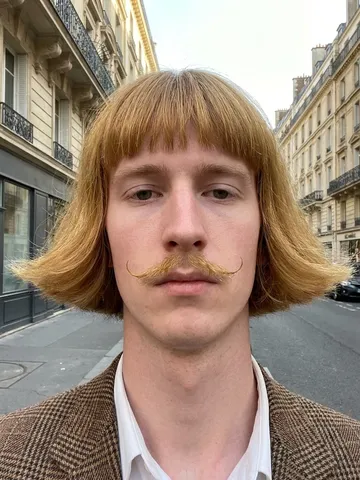
Uploaded Selfie
➔ Real AI Output
+ Optional: Add friends in the crowd (up to 5) or change venueFree add-on
Friends in the crowd
0 / 5 photosEach photo replaces one person in the crowd, in upload order.
Scene Background
Leave empty for the chandelier party room, or upload a venue photo.
Why the Corporate Cubicle & IT Hacker Spinoff Went Viral
The comedy of the Burning Bridges Office Edition comes from pure visual contrast. Swapping a glamorous chandelier nightclub for beige cubicles, flickering CRT monitors, server racks, and overhead fluorescent tubes—while keeping every ounce of Drake's ultra-confident 2:37 walk-in swagger—turns mundane workplace milestones into instant comedy gold on TikTok, LinkedIn, Slack, and engineering standups.
Software teams use it to announce major Friday production deploys, sales squads post it after closing Q4 quota, and IT admins drop the retro 1990s trenchcoat hacker cut whenever they resolve a P0 outage. With our 1-click studio above, you don't even need to engineer prompts—upload a snapshot of your real office under More options → Venue photo and the AI stages the entire party inside your workplace.
Copyable Office, Cubicle & IT Hacker Room Prompts
Building a custom background image or testing manual video models? Copy any of our three highest-performing workplace staging prompts below:
A 1990s retro office cubicle party in 16:9 cinematic landscape format. A confident hacker in a long leather trenchcoat and sweater vest walks down an office aisle holding a vintage scientific calculator. CRT computer monitors flicker in the background, fluorescent lighting mixed with party laser lights. The camera rushes in as he makes a sharp hand flick and smugly points at colleagues, 24fps film grain.
Narrow enterprise server room aisle lined with blinking blue and amber rack LEDs. Lead software engineer in a hoodie walks toward a wide-angle handheld camera holding an iced coffee cup like a trophy, snapping a confident wrist flick at 2.3 seconds while four cheering DevOps teammates celebrate behind him, realistic motion blur.
Modern glass-walled startup office with standing desks, whiteboards, and celebratory confetti. Team lead strides toward the tracking camera raising a stainless steel mug as coworkers clap over both shoulders, warm cinema color grade blended with overhead office fixtures, 24fps.
Staging 2 to 5 Colleagues in One Squad Clip
Replacing background dancers with real teammates costs 0 extra credits. Use clean Slack profile headshots or front-facing phone portraits (with each coworker's permission):
- Lead Slot: The project owner, birthday guest, or engineer shipping the release.
- Crowd Slots 1 & 2: Appear right over the lead's shoulders during the 2.34s hand flick—ideal for co-leads or managers.
- Crowd Slots 3–5: Cheer and raise cups in the aisle behind them, especially prominent in the full 29-second cut.
Slack, LinkedIn, TikTok & Reels Export Workflow
Every render exports as a clean, watermark-free 720p HD H.264 MP4 ready for both internal team channels and public social feeds:
- Slack & Teams (#general / #wins): Export 16:9 widescreen (15s · 100 credits) so inline desktop players show the entire cubicle crowd without vertical cropping.
- TikTok, Reels & Shorts: Export 9:16 vertical and attach the official “Burning Bridges” sound in-app synced to the 2.3s wrist flick.
- Transparent One-Time Packs: $9.99 (100 credits), $19.99 (300 credits = 1× 29s or 3× 15s), $29.99 (500 credits), or $49.99 (1,000 credits)—zero subscription, Apple Pay / Google Pay checkout, and instant auto-refund on technical failure.
Best Occasions for Office & Engineering Team Clips
Tech, product, finance, and agency teams routinely use the Burning Bridges Office Edition for high-morale internal announcements that beat static GIPHY reactions:
- Production Launch & Sprint Demos: Put the release lead up front with QA and backend engineers cheering in Crowd Slots 1–4 for Friday all-hands slides.
- Sales Quota & Deal Desk Wins: Celebrate enterprise deal closures in #revenue-wins using a 16:9 widescreen export that plays natively inside Slack and Microsoft Teams.
- Onboarding & Farewell Roasts: Welcome new hires or send off departing teammates with a custom venue snapshot of your real office kitchen or conference room.
- Hackathon Pitch Openers: Open a 3-minute hackathon demo with a 15-second retro 1990s hacker entrance ($9.99 one-time, zero subscription) to grab the judges' attention instantly.
Preview Live Samples Before Uploading Your Team
Want to see multi-person crowd replacement in action first? Click the instant sample preview tabs inside the studio widget above, then generate your team's watermark-free Office Edition video in ~3 minutes.